Trello CRM guide
How to use Trello as a CRM
Trello works well as a simple CRM for small teams: one list for each sales stage, one card for each deal, and the customer details on the card. This guide shows how to set it up step by step, and how to keep it up to date.
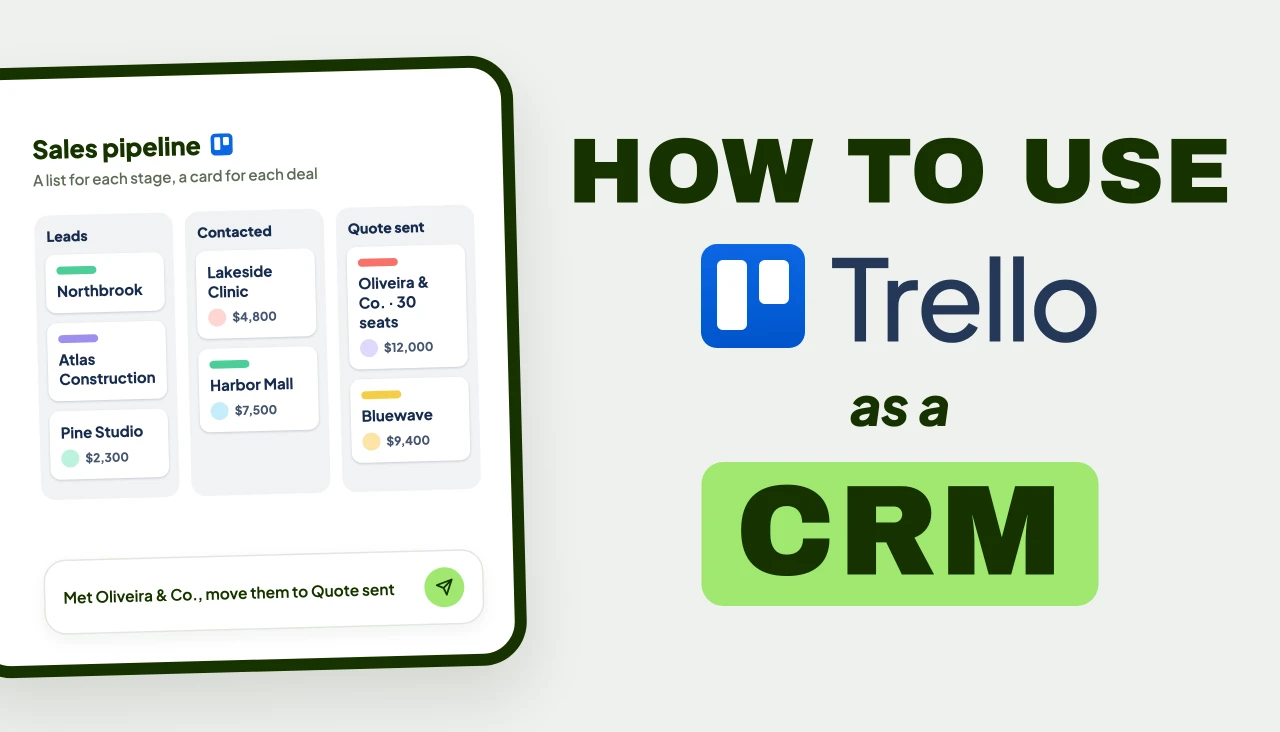
Can Trello be used as a CRM?
Yes. Lists become your sales stages, cards become your deals, and custom fields hold the contact details. It works best for small teams with a simple pipeline.
What works well
- Free to start, and your team may already use it
- You see every deal on one board
- You pick the lists and fields that fit how you sell
- Automation and Power-Ups are there when you need more
Without Power-Ups
- No shared contact list across deals
- No built-in sales reports or forecasts
- No email tracking or automatic follow-up emails
- You update every card by hand
Voiact · AI assistant for Trello
Use your Trello CRM from WhatsApp, Telegram or Slack
Trello works as a CRM on its own. Voiact makes it easier to keep up to date:
- Add or update deals and their fields with a message or a voice note
- Get your pipeline as an Excel file, a PDF or a chart
- Send emails from Gmail or Outlook in the same chat
- Get a reminder before each follow-up
- Trello
- Telegram
- Slack
Trello CRM templates for your kind of business
Ready-made boards from Trello's template gallery. Copy one and rename the lists to fit how you sell.
- Any business
CRM Pipeline
By Trello Team
Trello's own pipeline, from new lead to won deal.
- Leads
- Contacted
- Proposal Delivered
- Won
Use58K copies - Sales teams
A CRM & Sales Pipeline
By Crmble
A full sales CRM, built on the Crmble Power-Up.
- New leads
- Discovery call
- Proposal review
- Closed
Use38K copies - B2B and renewals
Sales Pipeline
By Scan2CAD
Deals sorted by how warm they are, with a renewals list.
- Warm
- Hot
- Annual Renewals
- Won
Use25K copies - Real estate
Real Estate Organization
By Loida Velasquez
Leads sorted by how warm they are, then buyers and open sales.
- Hot Leads
- Warm Leads
- Approved Buyers
- Active Transactions
Use12K copies - Law firms and services
Client Workflow Management
By Palace Law
Each client from first contact to a win or a loss.
- New Client Onboarding
- Attorney Assigned
- Win
- Lost
Use47K copies - Freelancers
Artist Commissions
By Joey Myers Design
Client work from brief and quote to invoice.
- Briefing
- Quote
- Downpayment
- Invoice
Use7K copies - Weddings and events
Ceremony Bookings
By Celebrate People
Each enquiry until it is booked and paid, or lost.
- Enquiry Received
- Booking Confirmed
- Paid in Full
- Didn't Book
Use2.6K copies - Customer success
Customer Success Board
By Hugo
Customers after the sale, from onboarding to renewal.
- New Customers
- Onboarding
- At Renewal
- At Risk
Use6.5K copies
Set up your Trello CRM in eight steps
You don't need a Power-Up. Every step works in plain Trello.
- 1
Create a board, or start from a template
Use one board for each pipeline. To save time, copy one of the templates above and rename its lists. A blank board works just as well.
- 2
Add a list for each stage
Name the lists after the stages of your sales process, and put Won and Lost at the end.
- Leads
- Contacted
- Quote sent
- Negotiation
- Won
- Lost
- 3
Make one card per deal
Give each card the name of the deal, like "Oliveira & Co. · 30 seats". Write notes in the description, log calls in the comments and attach proposals and invoices. This keeps the whole history on one card.
- 4
Add custom fields for the details
Fields keep the same details in the same place on every card, so you can sort and filter by them. Custom fields come with Trello's Standard plan.
- Company
- Phone
- Deal value
- Source
- 5
Use labels for priority and source
Show how hot the lead is and where it came from. Give each color one meaning and stick to it.
- High priority
- Inbound
- Referral
- 6
Give every next step a due date
Add a due date for each deal's next step, so a missed follow-up shows up as overdue. A checklist makes sure every deal goes through the same steps.
- 7
Automate the repeated tasks
When a card moves to a list, Trello's built-in automation can do the next steps for you. Voiact's AI automations are another option.
- Add a checklist
- Assign a teammate
- Set a due date
- 8
Look at the pipeline in other views
See meetings by date, deals by value or the whole pipeline as charts. These views come with Trello's Premium plan.
- Calendar
- Table
- Dashboard
Which way should you run it?
Plain Trello, Trello with an AI assistant, or a separate CRM tool, side by side.
| Trello on its own | Trello + Voiact | A dedicated CRMLike HubSpot, Pipedrive or Zoho | |
|---|---|---|---|
| Setup | Minutes | Sign in with Trello | A new tool to learn, and your data to move |
| Contact records | Custom fields on each card | Custom fields on each card | A full contact database |
| Reports | Board views, some on paid plans | Exports to Excel, PDF and charts | Detailed sales reports |
| Data entry | By hand | A message, a voice note or a photo | By hand, or through integrations |
| AI | AI writing and board tools on paid plans | An AI assistant that updates your boards and answers questions about them | Most have AI built in, like HubSpot's Breeze |
| Where you use it | Trello | Trello, WhatsApp, Telegram, Slack, web | Its own app |
| Best for | A simple pipeline | Teams who want to update the board with a quick message | Larger teams, automated email campaigns |
Where a Trello CRM gets hard
Setting up a Trello board as a CRM is quick. Keeping it up to date is harder, and that is where most teams run into trouble. Most sales work happens outside Trello: on calls, in WhatsApp chats, at events and in email. After each of these, someone has to open the board and update the right card by hand.
If that does not happen for a while, the board stops matching what is really going on. Follow-ups are missed, deals sit in the wrong list, and the team stops relying on the board. These three problems all come from the same gap: the work happens in one place and gets recorded in another.
New leads come in outside Trello
You meet someone at an event, get a call or receive a message. Someone then has to add that lead to the board later, and sometimes nobody does.
Every update is done by hand
For each change, you open the board, find the card, move it and fill in the details. With many deals, this adds up to a lot of work every week.
Answers take a lot of clicking
To see which deals are waiting for a quote, you open each list and check the cards one by one. There is no quick way to ask the board a question.
Power-Ups can fill these gaps
Power-Ups are add-ons you turn on for a Trello board. Each one below adds something plain Trello does not have.
One contact list for all deals
Contact details are saved on each card. If one person is on two deals, you type their details twice.
 Crmble
Gmail inside Trello
Trello does not connect to Gmail. You copy emails into cards by hand, or forward them to the board's email address.
 Gmail by Cardbox
A form that creates new leads
Trello has no forms. Each new lead is added by hand.
 Forms by Blue Cat
Import leads from Excel or CSV
You can paste a list to create cards, but the details are not filled in.
 Import to Trello by Blue Cat
Sales reports and charts
Paid plans have a dashboard that counts cards. It does not show deal values or trends.
 Analytics & Reports by Screenful
Export to Excel or PDF
Trello exports to JSON, and to CSV on paid plans. It does not export to Excel or PDF.
 Board Export by Kolekti
OrDo most of this with one Power-Up, just by chatting with it: Voiact
What is Voiact?
Voiact is an AI assistant for Trello. You write or talk to it in plain words, from WhatsApp, Telegram, Slack or inside Trello, and it makes the changes on your boards for you. It works with the boards, lists and custom fields you already have.
How it helps with a Trello CRM
Instead of opening the board and editing cards by hand, you send a short message. For example:
Add a new lead from a business card
Add this to Leads and fill in the details.
Log a meeting with a voice note
Met Lucas from Oliveira & Co. today. They want 30 seats, send the quote by Thursday.
Move a deal to the next stage
Move Oliveira & Co. to Quote sent and add the High priority label.
Ask about your pipeline
Which deals have been waiting for a quote for over a week?
Voiact Agent
online
FAQ about using Trello as a CRM
Can Trello be used as a CRM?
Yes. Use one list for each sales stage, one card for each deal and custom fields for the contact details. It works best for small teams with a simple pipeline.
Is Trello free to use as a CRM?
Yes, for a basic setup. The free plan covers up to 10 people and 10 boards, with unlimited cards, labels, due dates, checklists and Power-Ups. Custom fields need the Standard plan, and the Calendar, Table and Dashboard views need Premium. On the free plan, you can keep contact details in the card description instead.
Is Trello a kanban CRM?
Yes. A Trello board is a kanban board: each list is a column, and a card moves from left to right as the deal moves forward. That makes it a simple, visual sales pipeline.
Is there a Trello CRM template?
Yes. Trello's template gallery has a free CRM Pipeline board made by the Trello team, and others for real estate, law firms, freelancers and event bookings. Copy one and rename the lists to fit your sales process, or start from a blank board.
What lists should a Trello CRM have?
One per stage of your sales process. A common start is Leads, Contacted, Quote sent, Negotiation, Won and Lost. Some teams sort leads by temperature instead: Cold, Warm, Hot.
Do I need a CRM Power-Up?
Not for a simple pipeline. Lists, cards, custom fields and labels are enough. Power-Ups add what plain Trello does not have, such as Crmble for a shared contact list, Gmail by Cardbox for email or Screenful for reports.
What does Crmble add to Trello?
Crmble is a CRM Power-Up for Trello. It adds a contact list you can link to many deals, deal values, won and lost tracking, and pipeline reports. It suits teams who want more CRM structure while staying inside Trello.
Can Trello connect to Gmail?
Not on its own. You can forward an email to a board's email address to turn it into a card. To read and send Gmail from Trello, you need a Power-Up such as Gmail by Cardbox, or Voiact, which handles email from the same chat that updates your board.
How do I keep a Trello CRM up to date?
Give every open deal a due date for its next step and review the board weekly. If you don't want to type the updates, Voiact can update the cards from a message, a voice note or a photo.
Can I use Trello as a WhatsApp CRM?
Not with Trello alone. Voiact connects Trello to WhatsApp, Telegram and Slack. You can add a lead, update a deal or ask about your pipeline by sending a message or a voice note, and the changes show up on your board.
How many deals can a Trello CRM handle?
There is no fixed limit, but a board gets harder to read as it grows. It stays easy to follow with a few dozen open deals. Beyond that, labels, filters and archiving closed deals help keep it tidy. With hundreds of active deals, a dedicated CRM is usually the better fit.
When should I move to a dedicated CRM?
When you need automated email campaigns, one contact list for many pipelines or detailed sales reports. Until then, Trello is the simpler choice.
Does Voiact work with a board I already have?
Yes. Voiact reads your lists and custom fields and works with them as they are, so you keep your own stages and field names. Your customers stay on your Trello board.
Is Voiact a Trello Power-Up?
Yes. Voiact is listed in Trello's Power-Up directory, and Trello featured it there in July 2026. It also works from WhatsApp, Telegram, Slack and its own web app. You sign in with your Trello account, and it works on the boards you already have.
Is Voiact free?
There is a free plan, and a free trial that unlocks every paid feature, including reading photos and documents. Neither needs a credit card.